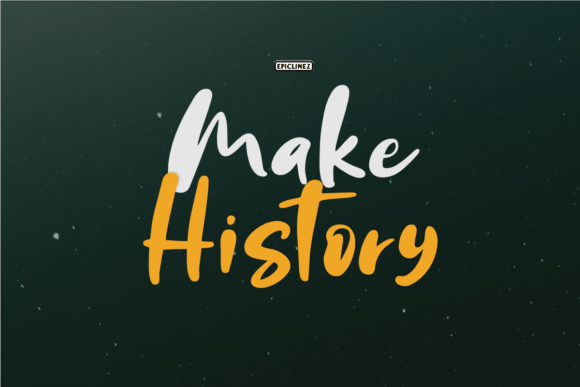
Make History: A Font That Tells Your Brand’s Story
It was a busy morning at the bakery, and I was finalizing the new packaging for our seasonal breads. The labels needed to feel fresh, inviting, and professional—but also a little personal. I had tried several fonts, but none quite captured the warmth and character we wanted. Then I found Make History.
Make History is a handwritten font with a clean, slightly quirky personality. It feels like it was written by someone who loves what they do, which makes it perfect for small businesses that want to stand out without being too flashy. Its style balances spontaneity with clarity, making it ideal for everything from logos to product labels.
How Make History Works in Real Business Materials
Using Make History on a bakery box or a skincare label gives a sense of authenticity. It doesn’t scream “designer,” but it definitely shouts “thoughtful.” For a small business, that’s powerful. When you’re trying to build trust with customers, a font that feels human can make all the difference.
I tested it on a few different projects. On a café menu, it added a friendly, approachable tone. On a candle label, it gave the product a handmade touch that felt more personal than a standard sans serif. And on an online shop banner, it stood out without overwhelming the design.
When to Use Make History
Make History excels as a display font. It works best for headlines, short phrases, and logos where the visual impact matters. It’s not the best choice for long paragraphs, but that’s okay—it’s meant to be used strategically. Think of it as a creative accent that adds personality to your brand materials.
For example, using it on a boutique tag or a thank-you card can make the customer feel appreciated. On a social media graphic, it helps your post stand out in a crowded feed. And on a product mockup, it adds a unique flair that sets your brand apart.
Readability and Practical Tips
One of the biggest concerns when using a handwritten font is readability. Make History handles this well, especially when used at larger sizes. For small labels or mobile screens, keep text short and use it sparingly. On printed packaging, ensure there’s enough contrast between the font and background.
For social media thumbnails or digital ads, test the font at different sizes to see how it looks. Make History holds up well in most cases, but it’s always good to check on multiple devices and platforms before finalizing any design.
Pairing Make History with Other Fonts
Font pairing is key to creating a cohesive look. Make History pairs beautifully with clean sans serif fonts like Montserrat or Lato for a modern, balanced feel. It also works well with elegant serif fonts like Playfair Display or Georgia for a more classic, refined aesthetic.
If you’re going for a more casual vibe, pair it with another handwritten or script font. Just be careful not to overdo it—too many different styles can confuse the message. Stick to one or two complementary fonts to keep your branding consistent and professional.
What to Check Before Using Make History
Before you start using Make History on your products, packaging, or client work, make sure to check the included styles, file formats, and licensing. Some fonts come in multiple weights or include alternate characters and ligatures that can add extra flexibility.
Also, consider multilingual support if your business serves a diverse audience. And don’t forget to review the commercial license terms—especially if you’re using the font for client projects or selling merchandise.
Make History isn’t just a font; it’s a tool that helps small businesses tell their story in a way that feels real and meaningful. Whether you’re updating your packaging, redesigning your website, or creating social media graphics, it’s a versatile choice that adds character without compromising professionalism.